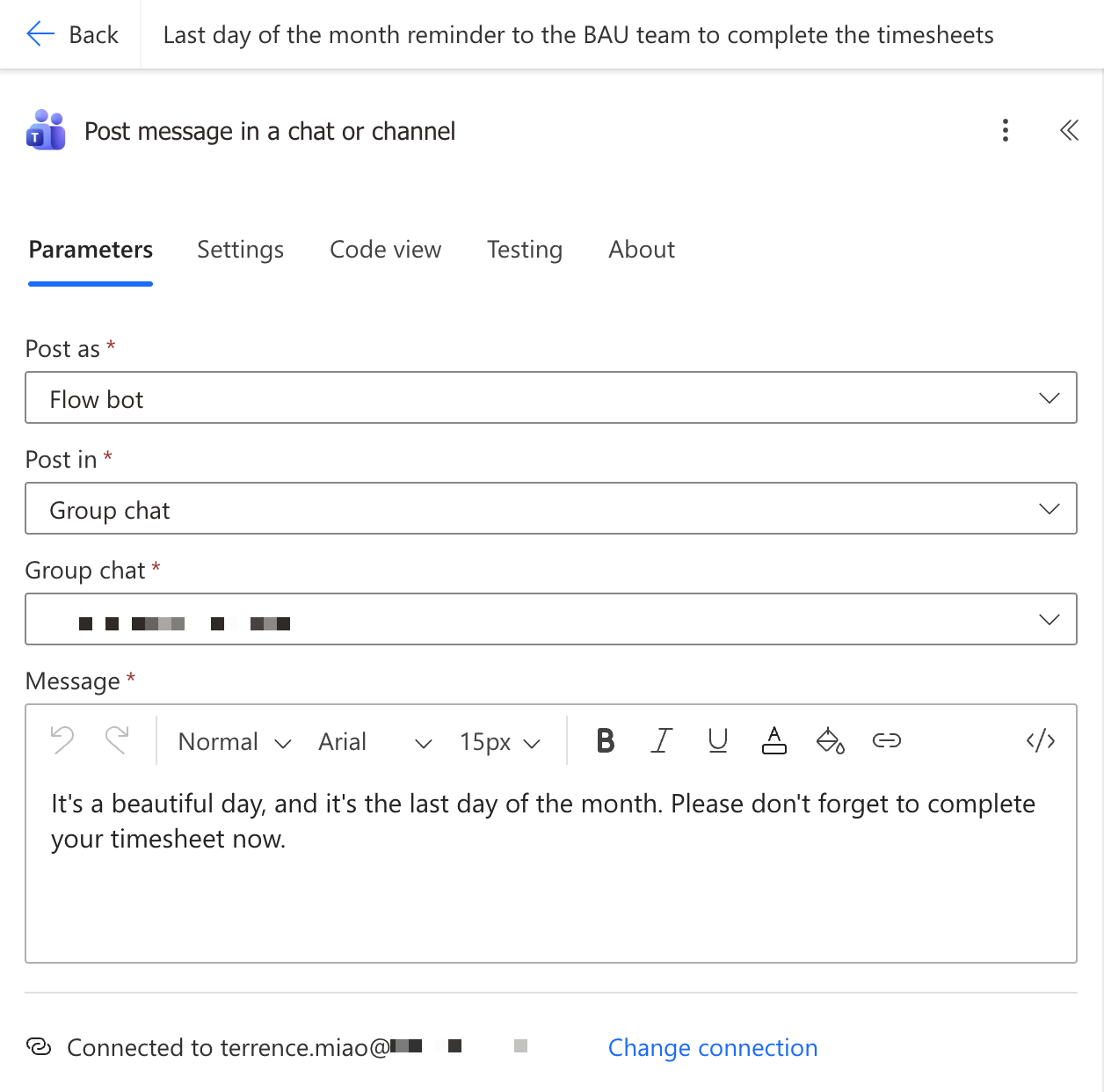
Setting up a scheduled cloud flow in Microsoft Power Automate, to send notification to Microsoft Teams group chat on every last day of the month.
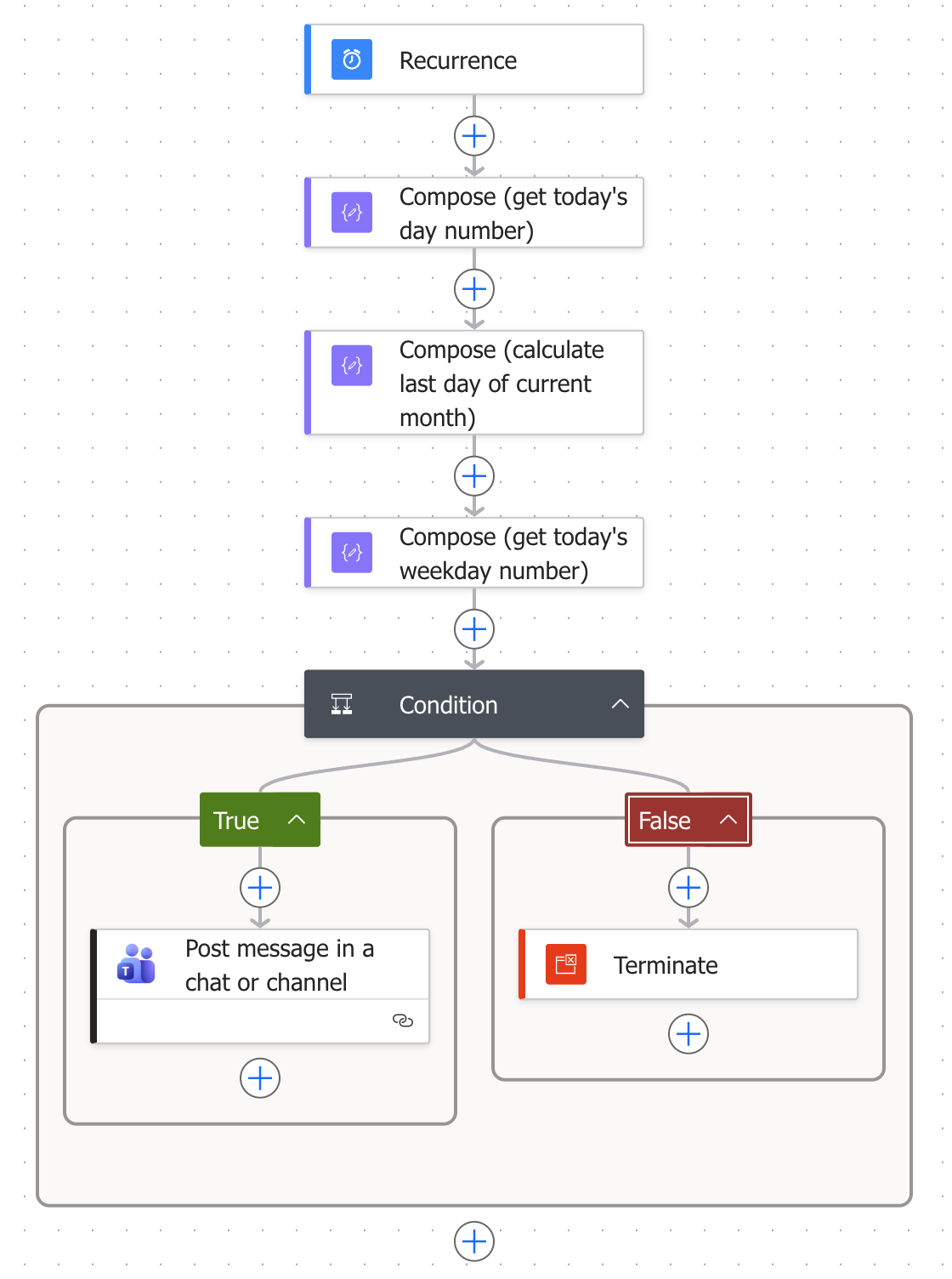
For example, at 10:30am AEST, on April 30th 2006:
- Compose (get today’s day number) expression
1 | formatDateTime(convertTimeZone(utcNow(), 'UTC', 'AUS Eastern Standard Time'), 'dd') |
The output of above compose is: “30”
- Compose (calculate last day of current month) expression
1 | formatDateTime(addDays(startOfMonth(addToTime(convertTimeZone(utcNow(), 'UTC', 'AUS Eastern Standard Time'), 1, 'Month')), -1, 'yyyy-MM-dd'), 'dd') |
- utcNow(): Grabs the current date and time in UTC (e.g., 2026-04-30T00:30:00Z).
- addToTime(…, 1, ‘Month’): Jumps forward exactly one month into the future (e.g., May 30th, 2026).
- startOfMonth(…): Takes that future date and rewinds it to the very first day of that month (e.g., May 1st, 2026).
- addDays(…, -1, ‘yyyy-MM-dd’): Subtracts exactly one day from the first of next month, landing perfectly on the last day of the current month. The ‘yyyy-MM-dd’ at the end formats the output neatly (e.g., 2026-04-30).
- formatDateTime(…, ‘dd’): Extract just the day
The output of above compose is: “30”
- Compose (get today’s weekday number) expression
1 | dayOfWeek(convertTimeZone(utcNow(), 'UTC', 'AUS Eastern Standard Time')) |
The output of above compose is: 4
- Condition
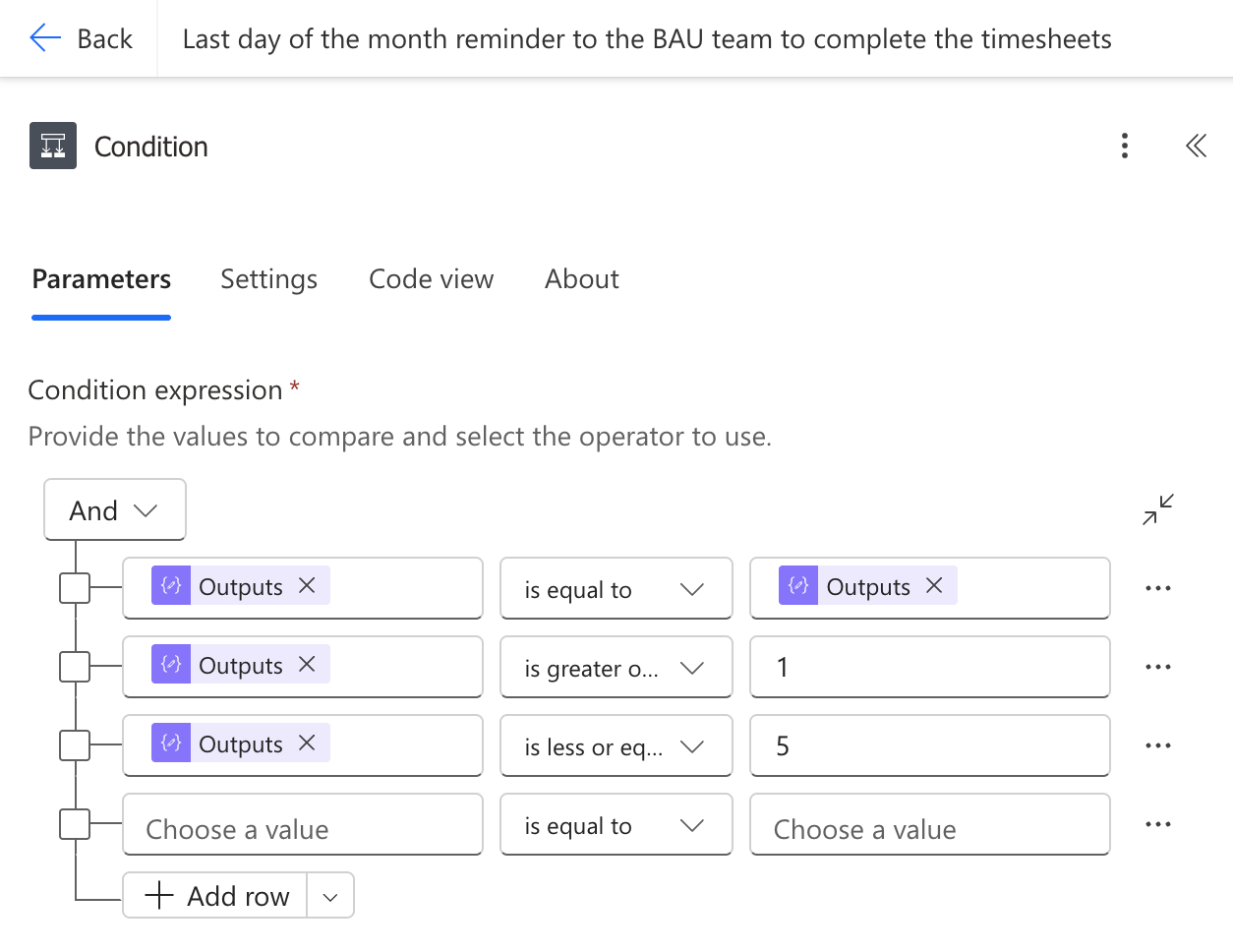
- Output of Compose (get today’s day number) is equal to Compose (calculate last day of current month)
- Output of Compose (get today’s weekday number) is greater or equal to 1 (Monday)
- Output of Compose (get today’s weekday number) is less or equal to 5 (Friday)
- Notification