Unlock Nvidia RTX 4080 GPU’s all power potentials.
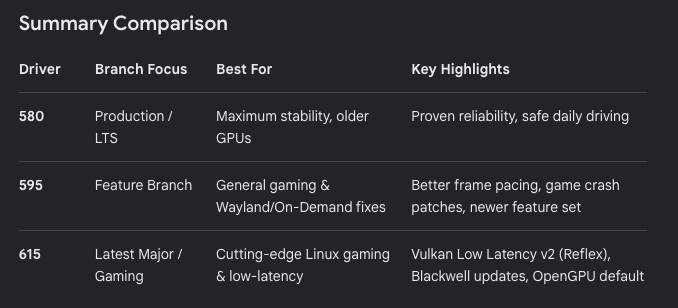
Install and confirm the stock NVIDIA driver first. Most test reports used NVIDIA’s open kernel modules, so the -open package is the safest choice:
1
2
3
4
5
6
7
$ sudo ubuntu-drivers list nvidia-driver-595-open, (kernel modules provided by linux-modules-nvidia-595-open-generic-hwe-26.04) nvidia-driver-580-open, (kernel modules provided by linux-modules-nvidia-580-open-generic-hwe-26.04) nvidia-driver-615-open, (kernel modules provided by linux-modules-nvidia-615-open-generic-hwe-26.04) ... $ sudo apt install nvidia-driver-595-open
Find GPU’s PCI address and card information:
1
2
3
4
5
6
7
8
9
$ lspci -Dnn | grep -i nvidia 0000:06:00.0 VGA compatible controller [0300]: NVIDIA Corporation AD103 [GeForce RTX 4080] [10de:2704] (rev a1) 0000:06:00.1 Audio device [0403]: NVIDIA Corporation AD103 High Definition Audio Controller [10de:22bb] (rev a1) $ lspci -nnk -s 0000:06:00.0 06:00.0 VGA compatible controller [0300]: NVIDIA Corporation AD103 [GeForce RTX 4080] [10de:2704] (rev a1) Subsystem: ASUSTeK Computer Inc. Device [1043:88c8] Kernel driver in use: nvidia Kernel modules: nvidiafb, nouveau, nvidia_drm, nvidia
Install build dependencies:
1
2
$ sudo apt update $ sudo apt install git build-essential dpkg-dev debhelper dkms dh-dkms python3 zstd linux-headers-$(uname -r)
Build and isntall the packages:
1
2
3
4
5
$ git clone https://github.com/JustAResearcher/gpu-unlock-ada.git $ cd gpu-unlock-ada $ make install
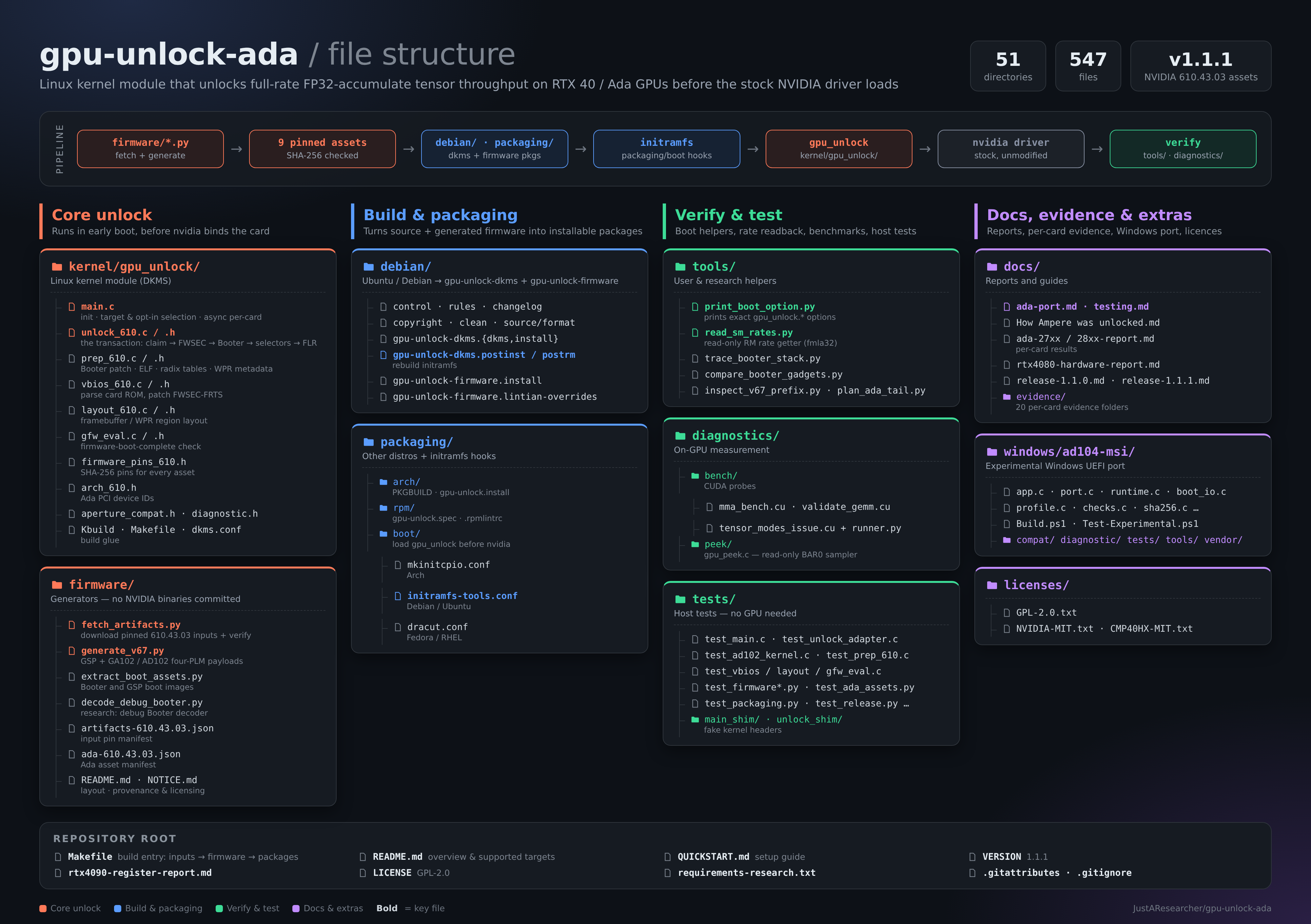
This downloads the pinned NVIDIA 610.43.03 inputs, checks their SHA-256 hashes, generates the firmware locally, and builds and installs gpu-unlock-dkms and gpu-unlock-firmware.
The package’s post-install step runs update-initramfs -u -k all , so the module and firmware go into the initramfs. Can confirm that:
1
2
3
4
5
6
7
8
9
10
11
12
13
14
15
16
17
18
19
20
$ sudo lsinitramfs /boot/initrd.img-$(uname -r) | grep -E 'gpu_unlock|gpu-unlock' usr/lib/firmware/gpu-unlock usr/lib/firmware/gpu-unlock/610.43.03 usr/lib/firmware/gpu-unlock/610.43.03/booter_load_ad102.bin usr/lib/firmware/gpu-unlock/610.43.03/booter_load_ga100.bin usr/lib/firmware/gpu-unlock/610.43.03/booter_load_ga102.bin usr/lib/firmware/gpu-unlock/610.43.03/booter_load_tu102.bin usr/lib/firmware/gpu-unlock/610.43.03/falcon_loader.bin usr/lib/firmware/gpu-unlock/610.43.03/gsp_boot_ad102.bin usr/lib/firmware/gpu-unlock/610.43.03/gsp_boot_desc_ad102.bin usr/lib/firmware/gpu-unlock/610.43.03/gsp_boot_desc_ga100.bin usr/lib/firmware/gpu-unlock/610.43.03/gsp_boot_desc_ga102.bin usr/lib/firmware/gpu-unlock/610.43.03/gsp_boot_desc_tu102.bin usr/lib/firmware/gpu-unlock/610.43.03/gsp_boot_ga100.bin usr/lib/firmware/gpu-unlock/610.43.03/gsp_boot_ga102.bin usr/lib/firmware/gpu-unlock/610.43.03/gsp_boot_tu102.bin usr/lib/firmware/gpu-unlock/610.43.03/gsp_ga10x.bin usr/lib/firmware/gpu-unlock/610.43.03/gsp_tu10x.bin usr/lib/firmware/gpu-unlock/610.43.03/sec2_bl_tu102.bin usr/lib/modules/7.0.0-38-generic/updates/dkms/gpu_unlock.ko.zst
Print the exact boot option:
1
2
3
$ python3 tools/print_boot_option.py RTX 4080 (experimental) at 0000:06:00.0 [10de:2704]: gpu_unlock.targets=0000:06:00.0 gpu_unlock.rtx4080_experimental=1
Add above options to GRUB: GRUB_CMDLINE_LINUX_DEFAULT=”quiet splash gpu_unlock.targets=0000:06:00.0 gpu_unlock.rtx4080_experimental=1 . Then appl the change:
Cold boot:
Shut down.
Switch off or unplug the AC power and wait about 30 seconds.
Power on.
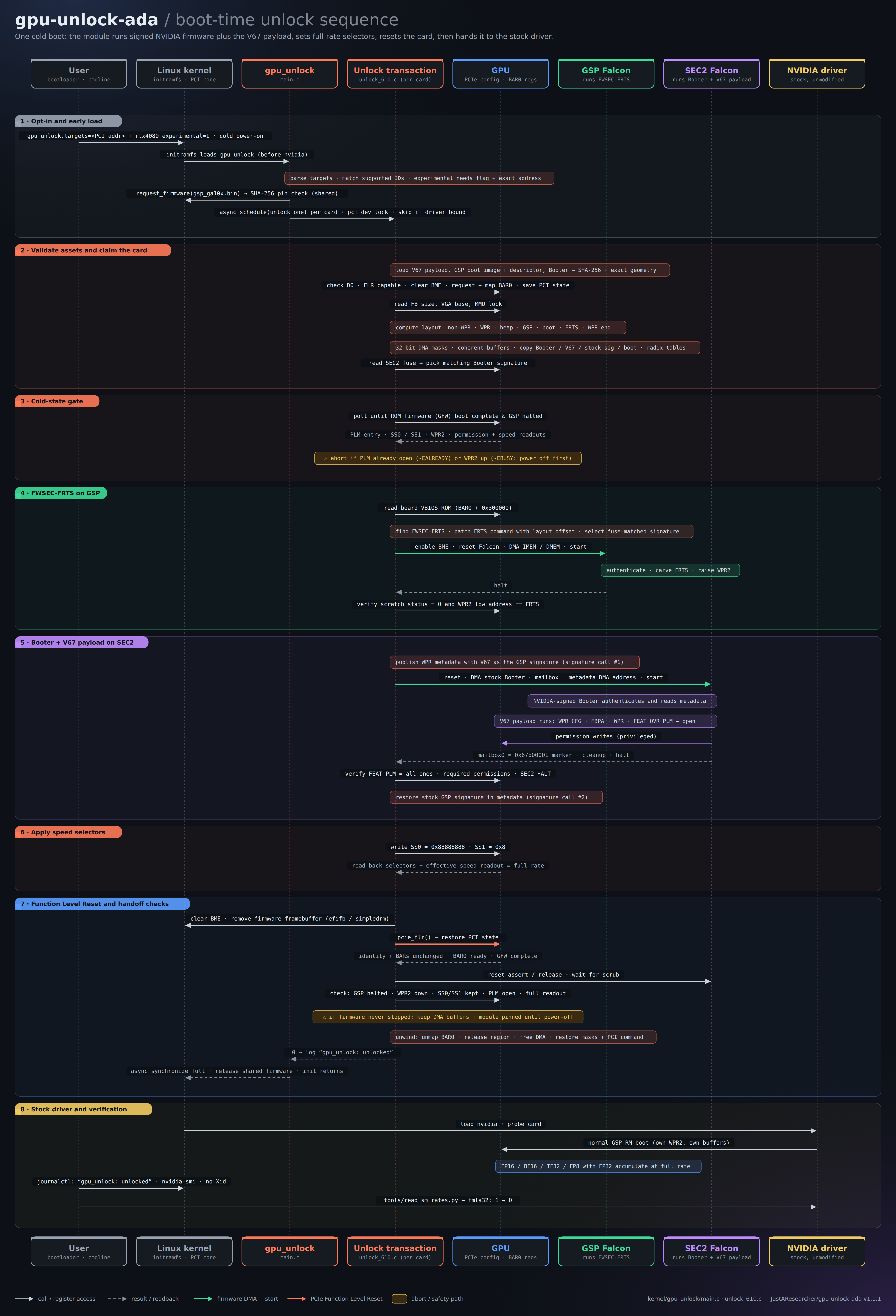
The module needs a card that hasn’t been initialised since power-on. If the card was already initialised, it refuses to run.
Verify:
1
2
3
4
5
6
7
8
9
10
11
12
13
14
15
16
17
18
19
20
21
22
23
24
25
26
27
28
29
30
31
32
$ cat /proc/cmdline BOOT_IMAGE=/boot/vmlinuz-7.0.0-38-generic root=UUID=0e66f11d-6081-4b8c-9321-821ea4c0a793 ro quiet splash gpu_unlock.targets=0000:06:00.0 gpu_unlock.rtx4080_experimental=1 crashkernel=2G-4G:320M,4G-32G:512M,32G-64G:1024M,64G-128G:2048M,128G-:4096M $ journalctl -k -b --no-pager | grep -E 'gpu_unlock: unlocked|already unlocked|unlock failed|experimental|post-FLR SEC2' Oct 27 22:47:22 Aorus kernel: Command line: BOOT_IMAGE=/boot/vmlinuz-7.0.0-38-generic root=UUID=0e66f11d-6081-4b8c-9321-821ea4c0a793 ro quiet splash gpu_unlock.targets=0000:06:00.0 gpu_unlock.rtx4080_experimental=1 crashkernel=2G-4G:320M,4G-32G:512M,32G-64G:1024M,64G-128G:2048M,128G-:4096M Oct 27 22:47:22 Aorus kernel: Kernel command line: BOOT_IMAGE=/boot/vmlinuz-7.0.0-38-generic root=UUID=0e66f11d-6081-4b8c-9321-821ea4c0a793 ro quiet splash gpu_unlock.targets=0000:06:00.0 gpu_unlock.rtx4080_experimental=1 crashkernel=2G-4G:320M,4G-32G:512M,32G-64G:1024M,64G-128G:2048M,128G-:4096M Oct 27 22:47:23 Aorus kernel: pci 0000:06:00.0: post-FLR SEC2 reset released, GSP halted, BME=0 pending=0 WPR2=1ffffe00:00000000 SS0=88888888 SS1=00000008 Oct 27 22:47:23 Aorus kernel: pci 0000:06:00.0: gpu_unlock: unlocked $ nvidia-smi Tue Oct 27 22:50:13 2026 +-----------------------------------------------------------------------------------------+ | NVIDIA-SMI 595.99.02 Driver Version: 595.99.02 CUDA Version: 13.2 | +-----------------------------------------+------------------------+----------------------+ | GPU Name Persistence-M | Bus-Id Disp.A | Volatile Uncorr. ECC | | Fan Temp Perf Pwr:Usage/Cap | Memory-Usage | GPU-Util Compute M. | | | | MIG M. | |=========================================+========================+======================| | 0 NVIDIA GeForce RTX 4080 Off | 00000000:06:00.0 Off | N/A | | 0% 26C P8 4W / 360W | 14MiB / 16376MiB | 0% Default | | | | N/A | +-----------------------------------------+------------------------+----------------------+ +-----------------------------------------------------------------------------------------+ | Processes: | | GPU GI CI PID Type Process name GPU Memory | | ID ID Usage | |=========================================================================================| | 0 N/A N/A 2896 G /usr/bin/gnome-shell 3MiB | +-----------------------------------------------------------------------------------------+ $ journalctl -k -b | grep -i xid
Success requires all three of these:
A gpu_unlock: unlocked line for your card’s address.
A healthy nvidia-smi.
A rate readback showing full rate:
1
2
3
4
5
6
7
8
9
10
11
12
13
14
15
16
17
18
19
20
$ UUID=$(nvidia-smi --query-gpu=uuid --format=csv,noheader) $ python3 tools/read_sm_rates.py --expect-uuid "$UUID " { "gpu" : "GPU-28b6243c-d078-fbba-a6ff-ea24c62d4ccf, NVIDIA GeForce RTX 4080, 00000000:06:00.0, 595.99.02, 360.00, 210, 405" , "command" : "0x20801230" , "rates" : { "imla0" : 0, "fmla16" : 0, "dp" : 0, "fmla32" : 0, "ffma" : 0, "imla1" : 0, "imla2" : 0, "imla3" : 0, "imla4" : 0 }, "meaning" : "0=full; 1=half; 2=quarter; higher values are further reductions" , "hardware_changes" : false }
Look for fmla32 changing from 1 (stock) to 0 (unlocked).
Uninstall:
To roll back, remove the gpu_unlock. * options from /etc/default/grub , run sudo update-grub , and power-cycle.
To remove the software completely:
1 $ sudo apt remove gpu-unlock-dkms gpu-unlock-firmware
Benchmark test and run python benchmark.py :
1
2
3
4
5
6
7
8
9
10
11
12
13
14
15
16
17
import torch, timeN, ITERS = 8192 , 50 torch.backends.cuda.matmul.allow_tf32 = True for name, dt in [("FP16" , torch.float16), ("BF16" , torch.bfloat16), ("TF32" , torch.float32)]: a = torch.randn(N, N, device="cuda" , dtype=dt) b = torch.randn(N, N, device="cuda" , dtype=dt) for _ in range (10 ): a @ b torch.cuda.synchronize() t = time.perf_counter() for _ in range (ITERS): a @ b torch.cuda.synchronize() dt_s = time.perf_counter() - t print (f"{name} : {2 * N**3 * ITERS / dt_s / 1e12 :.1 f} TFLOPS" )
References