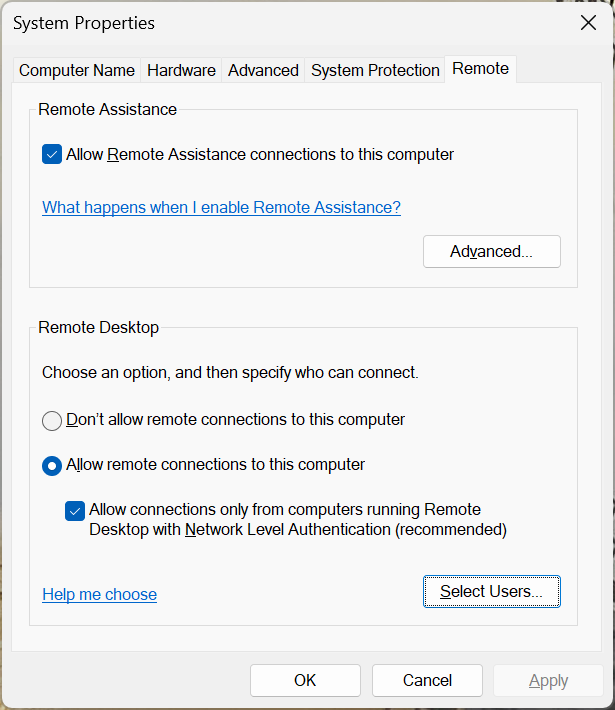
Windows 11 Pro for Workstations 24H2, with Remote Desktop enabled, by running SystemPropertiesRemote.exe :
In addition, remote desktop login have been verified with Microsoft Account. Open Windows Powershell, and run with winver (Windows Version):
1
2
3
PS C:\Users\terre> runas /u:MicrosoftAccount\terrence.miao@paradise.net winver Enter the password for MicrosoftAccount\terrence.miao@paradise.net: Attempting to start winver as user "MicrosoftAccount\terrence.miao@paradise.net" ...
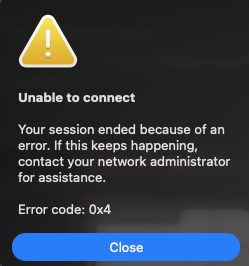
However, Windows App for Mac Error 0x4 :
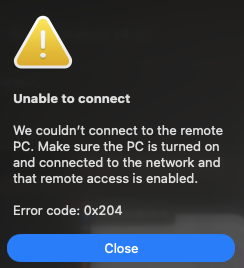
Error 0x204 :
thrown when try to connect.
Clear the Windows App’s cached connection data on the Mac — this is the fix that repeatedly resolves this specific symptom (port open, still Error 0x204).
Quit Windows App, then in Finder go to ~/Library/Group Containers/ , and delete the UBF8T346G9.com.microsoft.rdc folder.
1
2
3
4
5
6
7
8
9
10
11
12
13
14
15
16
17
18
19
20
21
22
23
24
25
26
27
28
29
30
31
$ cd ~/Library/Group Containers/ $ find UBF8T346G9.com.microsoft.rdc UBF8T346G9.com.microsoft.rdc UBF8T346G9.com.microsoft.rdc/Library UBF8T346G9.com.microsoft.rdc/Library/Application Support UBF8T346G9.com.microsoft.rdc/Library/Application Support/com.microsoft.rdc.macos.spotlight-data.sqlite UBF8T346G9.com.microsoft.rdc/Library/Application Support/.com.microsoft.rdc.macos.spotlight-data_SUPPORT UBF8T346G9.com.microsoft.rdc/Library/Application Support/.com.microsoft.rdc.macos.spotlight-data_SUPPORT/_EXTERNAL_DATA UBF8T346G9.com.microsoft.rdc/Library/Application Support/SupportingImages UBF8T346G9.com.microsoft.rdc/Library/Application Support/SupportingImages/60F6F8E6-5473-4487-B437-B1BCC23EEF5A UBF8T346G9.com.microsoft.rdc/Library/Application Support/SupportingImages/65A8F32C-3F7B-432F-A946-E97F722C8130 UBF8T346G9.com.microsoft.rdc/Library/Application Support/SupportingImages/0737CEA8-2677-43CA-B662-438BDCAF5DEF UBF8T346G9.com.microsoft.rdc/Library/Application Support/SupportingImages/FD13A9BC-25C9-414F-89A1-11B846D8B8D5 UBF8T346G9.com.microsoft.rdc/Library/Application Support/SupportingImages/3A4B24DC-F7A8-47FA-9AE4-57E3D7ABBCB2 UBF8T346G9.com.microsoft.rdc/Library/Application Support/SupportingImages/36F64D9D-96BF-4191-9E98-7B6B91461D82 UBF8T346G9.com.microsoft.rdc/Library/Application Support/SupportingImages/BE2BC0D9-3D69-4C36-86D6-C55D934A11AB UBF8T346G9.com.microsoft.rdc/Library/Application Support/SupportingImages/1706DE71-50EA-4527-A176-20A6AEF628CF UBF8T346G9.com.microsoft.rdc/Library/Application Support/SupportingImages/3DD0E565-26FC-4453-91D8-CEAE7C59F1DA UBF8T346G9.com.microsoft.rdc/Library/Application Support/SupportingImages/D48EB89B-8859-4CED-AC20-4D04EF771D0C UBF8T346G9.com.microsoft.rdc/Library/Application Support/SupportingImages/5256BC0C-1017-479B-BEE9-3C33C53644DA UBF8T346G9.com.microsoft.rdc/Library/Application Support/SupportingImages/B7BA47B7-5D51-4841-8B5E-63AFFE6E8DBA UBF8T346G9.com.microsoft.rdc/Library/Application Support/com.microsoft.rdc.macos.spotlight-data.sqlite-wal UBF8T346G9.com.microsoft.rdc/Library/Application Support/com.microsoft.rdc.macos.spotlight-data.sqlite-shm UBF8T346G9.com.microsoft.rdc/Library/Preferences UBF8T346G9.com.microsoft.rdc/Library/Application Scripts UBF8T346G9.com.microsoft.rdc/Library/Application Scripts/UBF8T346G9.com.microsoft.rdc UBF8T346G9.com.microsoft.rdc/Library/Caches UBF8T346G9.com.microsoft.rdc/.com.apple.containermanagerd.metadata.plist $ rm -rf UBF8T346G9.com.microsoft.rdc
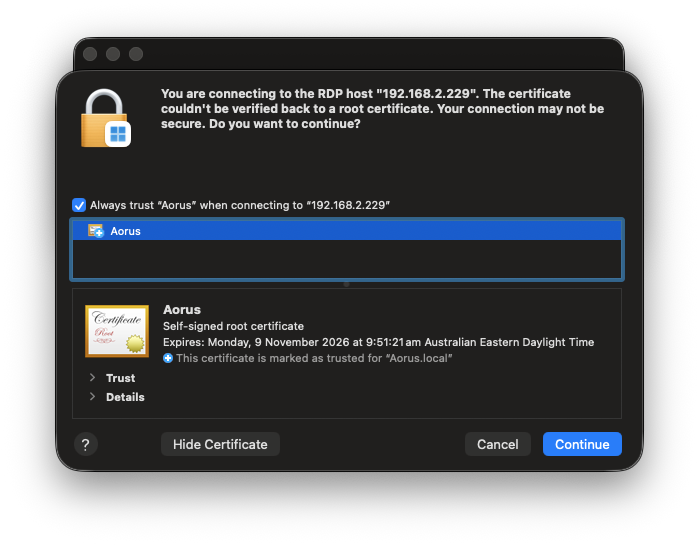
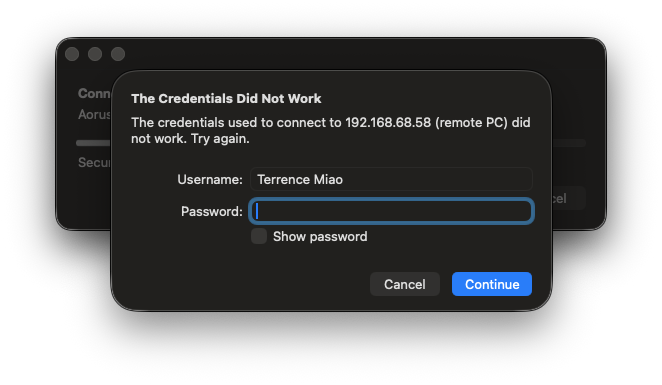
Now can connect Windows Remote Desktop, hostname is Aorus , but keep failing on the incorrect credentials with username Terrence Miao :
Setting up username as Aorus\terrence.miao@paradise.net does the trick, with Windows-style local account.
References