- 不要借钱投资
- 只买有长期投资价值的公司
- 不要用短期的钱去买长线的股票
Customisation of Filco Majestouch 2 Mechanical Keyboard
A Filco Majestouch 2 Tenkeyless Mechanical Keyboard, with Cherry Brown switches. It has been replaced with GMK Honeywell keycaps from Originative Co. (https://originative.co/products/honeywell) soon after it bought.


Replace Filco Majestouch 2’s with GMK Honeywell keycaps.
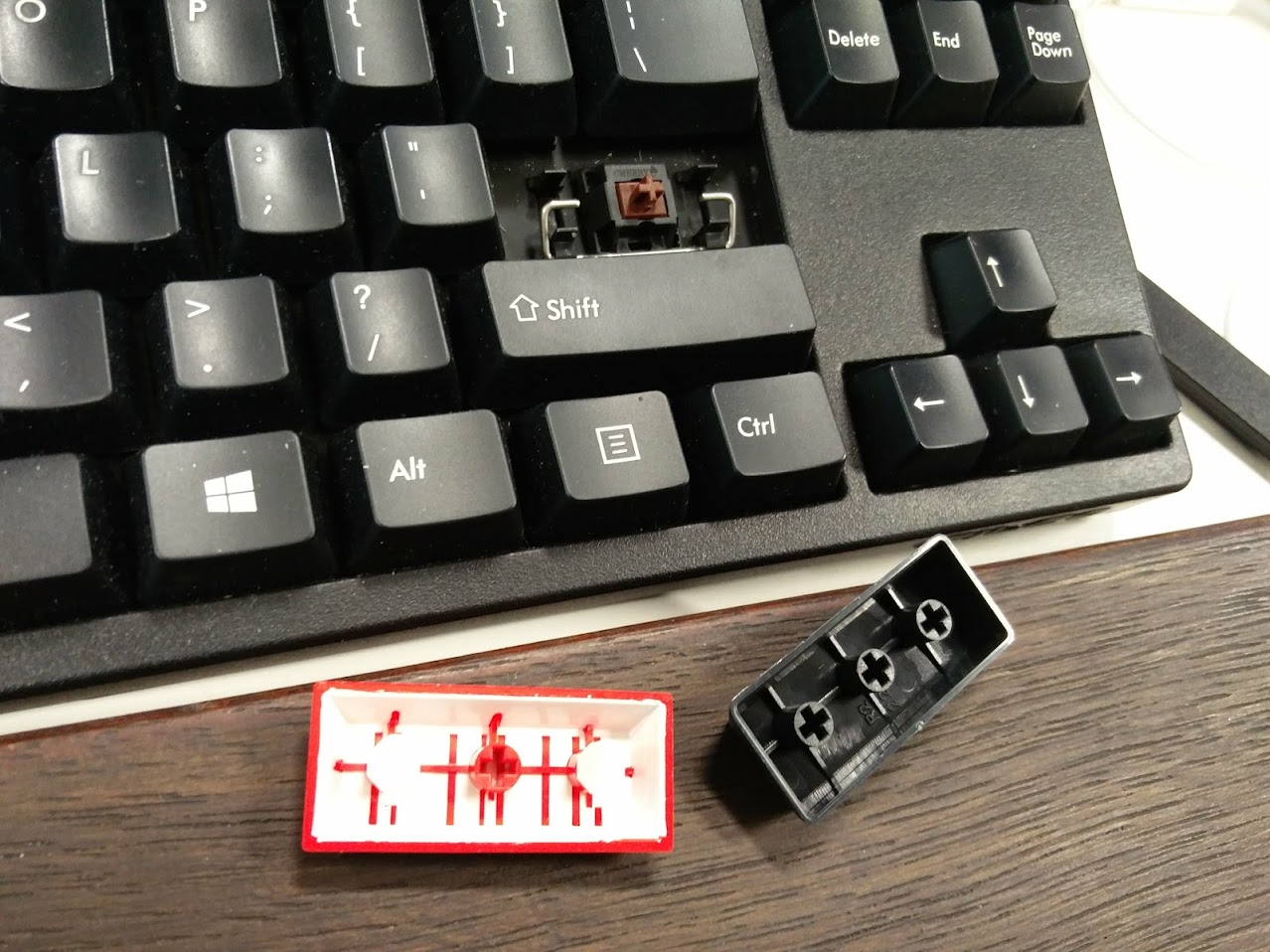




After joined Massdrop Lambo 80% Anodized Aluminum Case for Filco 87 TKL campaign (https://www.massdrop.com/buy/lambo-80-anodized-aluminum-case-for-filco-87-tkl)

After a few months waiting, case delivered in, shipped from USA.


Get hands warmed up and dirty.


Now, show time.





极简之道 - The interface 人与机器的思想交流
Why 60%?


GH60
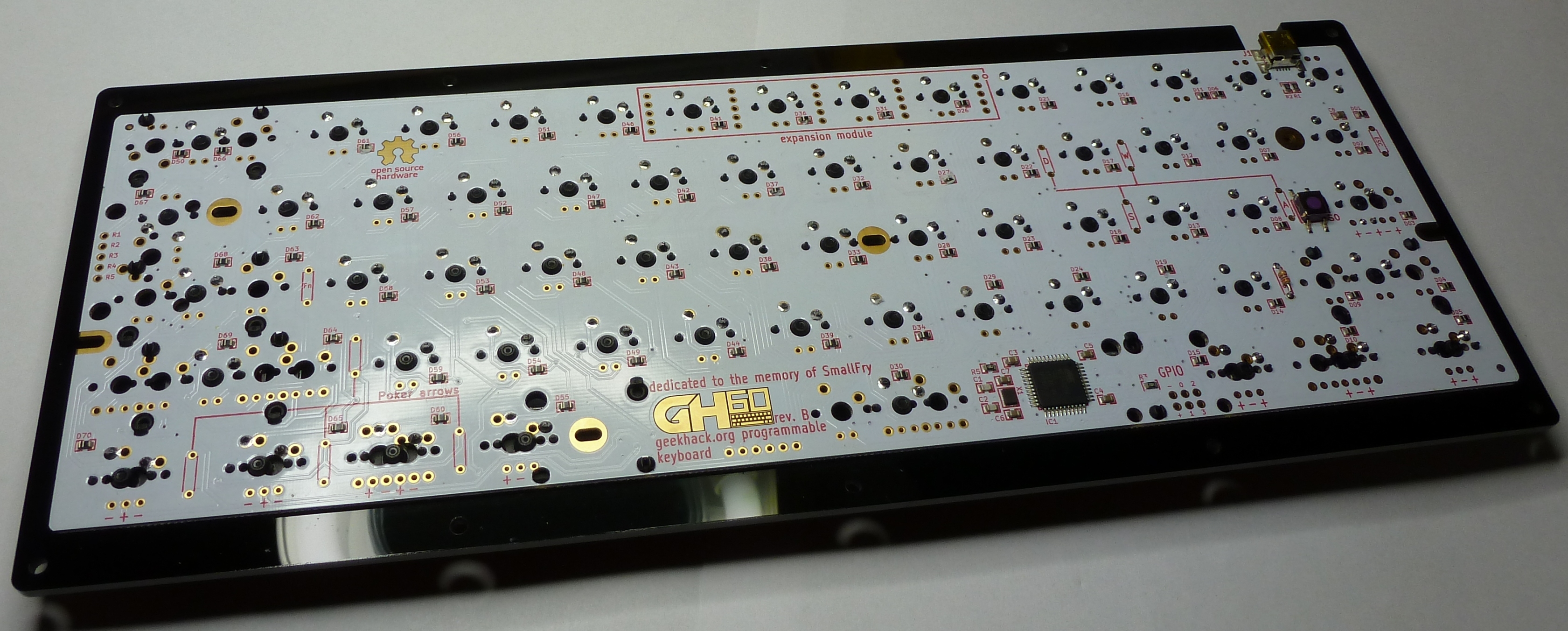
GH60 可编程键盘 (http://blog.komar.be/projects/gh60-programmable-keyboard/), it’s Poker 2 键盘的 rip-off。开放式公板设计。电路板中国制造。三周前,在 AliExpress (https://www.aliexpress.com/item/Customized-DIY-GH60-Case-Shell-PCB-Plate-Switches-LED-Kit-60-Mechanical-Keyboard-Satan-Poker2-GH/32651474350.html) 下的订单。
Cherry MX Switch

德国 Cherry 工厂的茶轴。敲起键盘来极有段落,层次感。
iQunix Lambo

拆掉原装的塑料键盘壳。换装 iQunix Lambo (https://www.aliexpress.com/item/Iqunix-lambo-60-mechanical-keyboard-anode-alumina-shell-base-gh60-poker2/32677061753.html) 铝制外壳。
GMK 3Run Keycap Set

最后再装上德国 GMK 工厂造的 3Run ABS keycaps 后 (https://www.massdrop.com/buy/gmk-3run-keycap-set) ,一个拥有自己 signature,体现个性,品味的机械键盘诞生了。
极简之道 / Simplicity


IT 的终点是艺术 - The end of IT is Art
Modern, postmodern, and contemporary IT and its history.

Ant Colony Optimization (ACO)
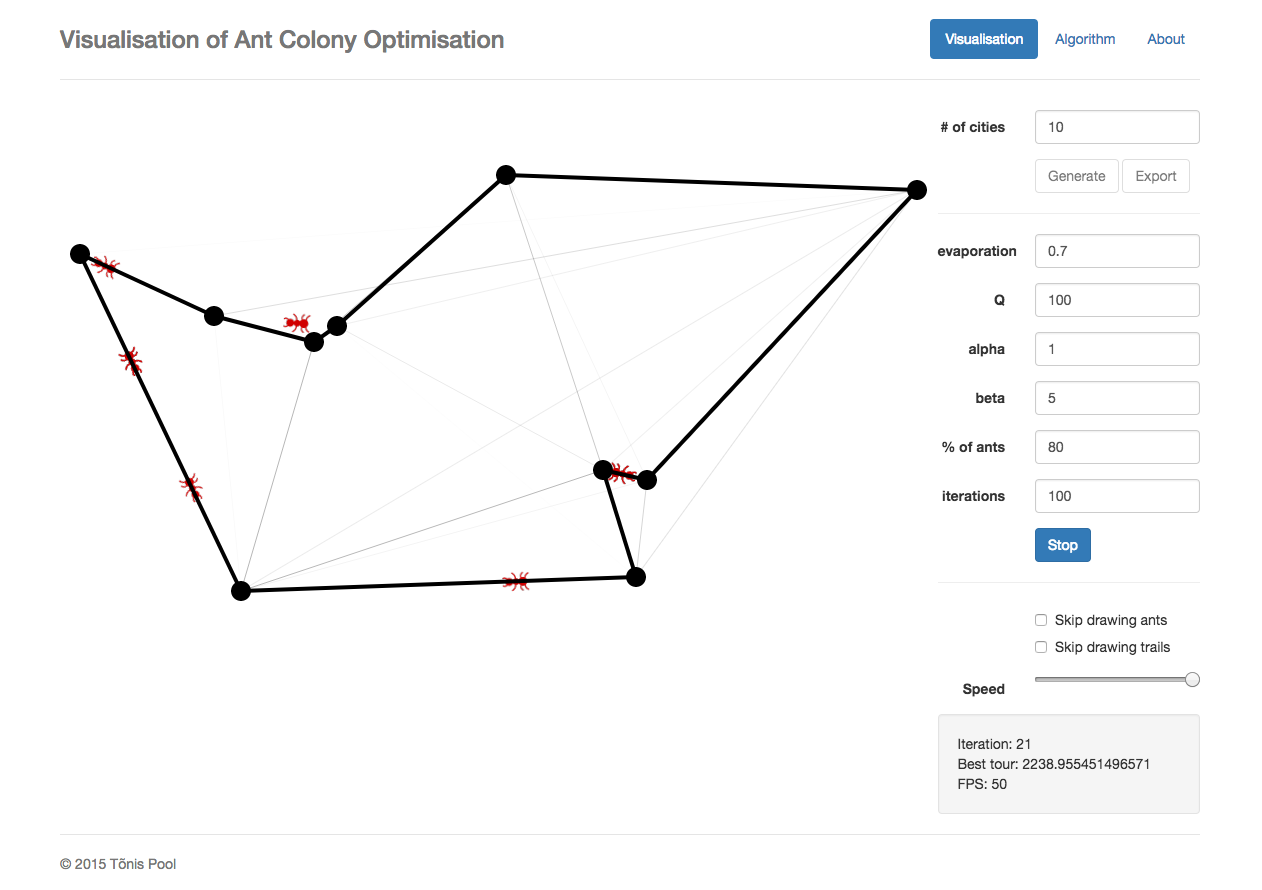
Ant Colony Optimization (ACO) for the the Traveling Salesman Problem (TSP).
In computer science and operations research, the ant colony optimization algorithm (ACO) is a probabilistic technique for solving computational problems which can be reduced to finding good paths through graphs.
蚁群算法是一种用来寻找优化路径的概率型算法。它由 Marco Dorigo 于 1992 年在他的博士论文中提出,其灵感来源于蚂蚁在寻找食物过程中发现路径的行为。这种算法具有分布计算、信息正反馈和启发式搜索的特征,本质上是进化算法中的一种启发式全局优化算法。
蚁群系统 (Ant System 或 Ant Colony System) 是由意大利学者 Dorigo、Maniezzo 等人于 20 世纪 90 年代首先提出来的。他们在研究蚂蚁觅食的过程中,发现单个蚂蚁的行为比较简单,但是蚁群整体却可以体现一些智能的行为。例如蚁群可以在不同的环境下,寻找最短到达食物源的路径。这是因为蚁群内的蚂蚁可以通过某种信息机制实现信息的传递。后又经进一步研究发现,蚂蚁会在其经过的路径上释放一种可以称之为“信息素”的物质,蚁群内的蚂蚁对“信息素”具有感知能力,它们会沿着“信息素”浓度较高路径行走,而每只路过的蚂蚁都会在路上留下“信息素”,这就形成一种类似正反馈的机制,这样经过一段时间后,整个蚁群就会沿着最短路径到达食物源了。
将蚁群算法应用于解决优化问题的基本思路为:用蚂蚁的行走路径表示待优化问题的可行解,整个蚂蚁群体的所有路径构成待优化问题的解空间。路径较短的蚂蚁释放的信息素量较多,随着时间的推进,较短的路径上累积的信息素浓度逐渐增高,选择该路径的蚂蚁个数也愈来愈多。最终,整个蚂蚁会在正反馈的作用下集中到最佳的路径上,此时对应的便是待优化问题的最优解。
蚂蚁找到最短路径要归功于信息素和环境,假设有两条路可从蚁窝通向食物,开始时两条路上的蚂蚁数量差不多:当蚂蚁到达终点之后会立即返回,距离短的路上的蚂蚁往返一次时间短,重复频率快,在单位时间里往返蚂蚁的数目就多,留下的信息素也多,会吸引更多蚂蚁过来,会留下更多信息素。而距离长的路正相反,因此越来越多的蚂蚁聚集到最短路径上来。
蚂蚁具有的智能行为得益于其简单行为规则,该规则让其具有多样性和正反馈。在觅食时,多样性使蚂蚁不会走进死胡同而无限循环,是一种创新能力;正反馈使优良信息保存下来,是一种学习强化能力。两者的巧妙结合使智能行为涌现,如果多样性过剩,系统过于活跃,会导致过多的随机运动,陷入混沌状态;如果多样性不够,正反馈过强,会导致僵化,当环境变化时蚁群不能相应调整。
与其他优化算法相比,蚁群算法具有以下几个特点:
(1) 采用正反馈机制,使得搜索过程不断收敛,最终逼近最优解。
(2) 每个个体可以通过释放信息素来改变周围的环境,且每个个体能够感知周围环境的实时变化,个体间通过环境进行间接地通讯。
(3) 搜索过程采用分布式计算方式,多个个体同时进行并行计算,大大提高了算法的计算能力和运行效率。
(4) 启发式的概率搜索方式不容易陷入局部最优,易于寻找到全局最优解。
该算法应用于其他组合优化问题,如旅行商问题、指派问题、Job Shop 调度问题、车辆路由问题、图着色问题和网络路由问题等。最近几年,该算法在网络路由中的应用受到越来越多学者的关注,并提出了一些新的基于蚂蚁算法的路由算法。同传统的路由算法相比较,该算法在网络路由中具有信息分布式性、动态性、随机性和异步性等特点,而这些特点正好能满足网络路由的需要。
Visualization
A visual demo of Ant Colony Optimisation written in Javascript (ES6):
Another visual demo of Ant Colony Optimisation:
References
- Ant colony optimization algorithms, https://en.wikipedia.org/wiki/Ant_colony_optimization_algorithms
- Visualisation of Ant Colony Optimisation, http://poolik.github.io/visual-aco/#/visualisation
- A visual demo of Ant Colony Optimisation applied to TSP written in Javascript, http://gordyd.github.io/js-aco/
- 百度百科 - 蚁群算法, https://wapbaike.baidu.com/item/%E8%9A%81%E7%BE%A4%E7%AE%97%E6%B3%95
Influence Without Authority
The Psychology of Persuasion.
Spring Data - powerful and succinct abstraction
Database tier definition
Database tables, indexes and foreign keys defined in Liquibase configuration:
1 | databaseChangeLog: |
DAO definition
- Draft Order
1 |
|
- Draft Order Combined
1 |
|
- An middle Aggregation Object
1 | public class CombinedIdSourceTimeInMs { |
CRUD Repository definition
- DraftOrderRepository
1 | public interface DraftOrderRepository extends CrudRepository<DraftOrder, Integer> { |
- DraftOrderCombinedRepository
1 | public interface DraftOrderCombinedRepository extends CrudRepository<DraftOrderCombined, Integer> { |
References
- Spring Data JPA Reference Documentation, https://docs.spring.io/spring-data/jpa/docs/current/reference/html/
SQL script generates random data and insert into MySQL database
1 | DROP PROCEDURE InsertRandomRecords; |
1 | DELIMITER $$ |
To generate 1,000,000 draft orders:
1 | CALL InsertRandomRecords(1000000); |
Set up and run AWS Lambda 'hello' function with serverless
serverless
With latest Node.js 6.x.x installed, then install serverless globally:
1 | $ npm install serverless -g |
AWS Lambda
Create a AWS Lambda skeleton project with serverless:
1 | $ mkdir serverless-example && cd $_ |
- Policies set up for Lambda function
For AWS user “ec2-user”, now need to have some policies with permissions to let “serverless” create role, Lambda function and deployment it …

- Roles for Lambda function
Lambda function role created after Lambda function added and deployed into AWS.

Deployment
Make sure AWS environment has been set up, including access key, user, group, policies …
Pack and deploy Lambda example into AWS:
1 | $ sls deploy -r ap-southeast-2 -s dev |
- Lambda “hello” function
A “hello” Lambda function has been created in Lambda after it’s deployed into AWS by “serverless”.

- Events generated during Lambda function deployment
Deployment events generated during Lambda “hello” function deployed into AWS.

- Add Lambda Trigger on AWS API Gateway
Manually create a Lambda Trigger. This time we use AWS API Gateway to trigger / invoke Lambda “hello” function.

- Exposed Lambda API Gateway
After Lambda Trigger created, an exposed RESTful interface for Lambda “hello” function.

Say “hello”
Set up AWS API Gateway trigger for Lambda “hello” function. Go to url, e.g.:
Function “hello” log:
1 | { |
References
- serverless framework, https://serverless.com/
- Example source code and artefact, https://github.com/TerrenceMiao/AWS/tree/master/serverless-example
